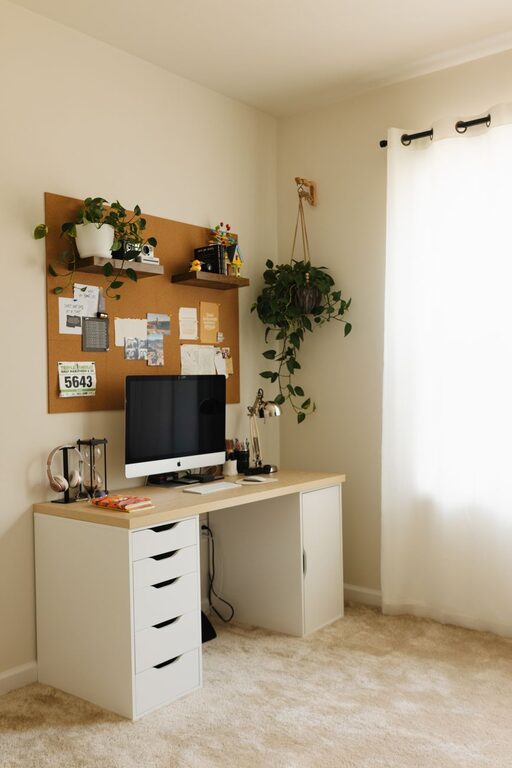
Creating a productive home office environment can greatly enhance your work experience and efficiency. Whether you’re new to remote work or looking to improve your current setup, the right space can help you focus better, reduce stress, and maintain a clear work-life balance. Below are detailed tips to guide you in designing an effective and comfortable home office.
Choose the Right Space
Find a Dedicated Area
Select a specific area of your home solely for work. This helps mentally separate work life from personal life, making it easier to focus during work hours and relax after.
Consider Natural Light
If possible, place your desk near a window. Natural light boosts mood and alertness, reducing eye strain from artificial lighting.
Minimize Distractions
Choose a quiet spot away from household noise and high-traffic areas to maintain concentration. Use noise-canceling headphones if you cannot avoid background noise.
Invest in Comfortable Furniture
Ergonomic Desk and Chair
An adjustable chair with good back support prevents discomfort and long-term health issues. Pair it with a spacious desk at the right height to promote good posture.
Standing Desk Option
Consider a standing desk or a sit-stand converter to change positions throughout the day. Alternating between sitting and standing can reduce fatigue and improve circulation.
Organize Your Workspace
Keep It Clutter-Free
A tidy desk helps you stay focused and reduces stress. Use trays, baskets, or drawer organizers to keep essentials neatly stored.
Use Vertical Storage
Shelves and wall-mounted organizers save surface space while keeping important items within reach.
Cable Management
Use cable clips or sleeves to keep cords tidy and out of the way, preventing tangling and accidents.
Optimize Lighting
Balanced Lighting
Combine natural light with ambient and task lighting. A desk lamp with adjustable brightness and color temperature can reduce eye strain during late work sessions.
Avoid Glare
Position screens perpendicular to windows or use blinds to minimize glare, making it easier to view your monitor comfortably.
Set Up Technology Efficiently
Reliable Internet Connection
Ensure your home office has strong and stable internet to avoid interruptions.
Quality Equipment
Invest in a good monitor, keyboard, and mouse. Consider an external webcam and microphone for clear communication during virtual meetings.
Backup Power
Consider a surge protector or an uninterruptible power supply (UPS) to protect against power outages.
Personalize Your Space
Add Greenery
Houseplants improve air quality and create a calming atmosphere.
Include Inspiring Decor
Add art, photos, or motivational quotes that make you feel energized and positive.
Maintain Comfort
Use a small fan, heater, or humidifier as needed to keep the room temperature comfortable.
Establish Daily Routines
Set Working Hours
Stick to regular start and end times to maintain a work-life boundary.
Take Breaks
Step away from your desk periodically to stretch, hydrate, or relax your eyes.
Plan Your Day
Use lists or planners to organize tasks and prioritize effectively.
Manage Noise Levels
White Noise Machines or Apps
If complete silence isn’t possible, white noise can mask distracting sounds and help you focus.
Communicate Boundaries
Discuss your work schedule with family or housemates to minimize interruptions.
Maintain Healthy Habits
Proper Posture
Regularly check and adjust your seating and screen height.
Stretch and Move
Incorporate short stretches or simple exercises during breaks to reduce stiffness.
Stay Hydrated and Eat Mindfully
Keep water nearby and take proper meal breaks away from your desk.
—
By thoughtfully arranging your home office and establishing clear routines, you can create a workspace that supports both your productivity and well-being. Remember, a productive home office is one that fits your personal needs and allows you to work comfortably and efficiently every day.
About the Author